

How to split your review submitted Klaviyo flow using Roadmap profile properties
What you’ll build
This walkthrough shows how to create a Klaviyo flow that starts when a customer submits a Roadmap review, then routes people down different branches based on:
- whether they have a Roadmap Loyalty account (
roadmap_has_account) - their latest Roadmap review rating (
roadmap_latest_review_rating)
1) Create the flow and name it
In Klaviyo, create or open the flow you want to update. In the screencast, the flow is named with today’s date and time so it’s easy to find later.
2) Set the trigger to “Roadmap: Review Submitted”
Click the Trigger card at the top of the flow canvas to open the trigger details panel.
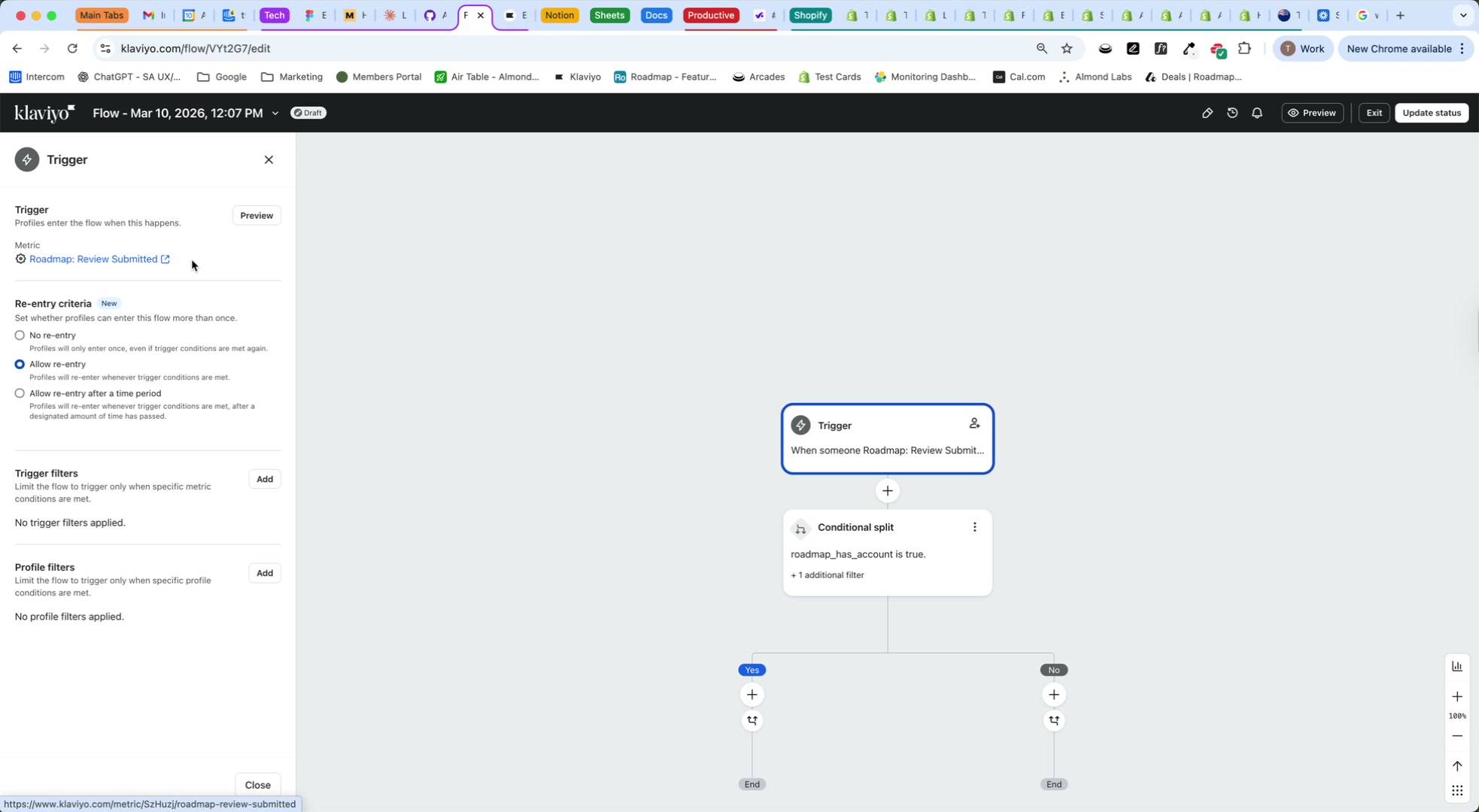
Under Trigger → Metric, select Roadmap: Review Submitted.
This means anyone who leaves a review can enter the flow—whether they have a loyalty membership or not.
If needed, use Trigger filters or Profile filters to narrow who enters the flow. In the screencast, the trigger is left broad so the segmentation happens in the split step.
3) Add a Conditional split under the trigger
Click the + under the trigger card and add a Conditional split.
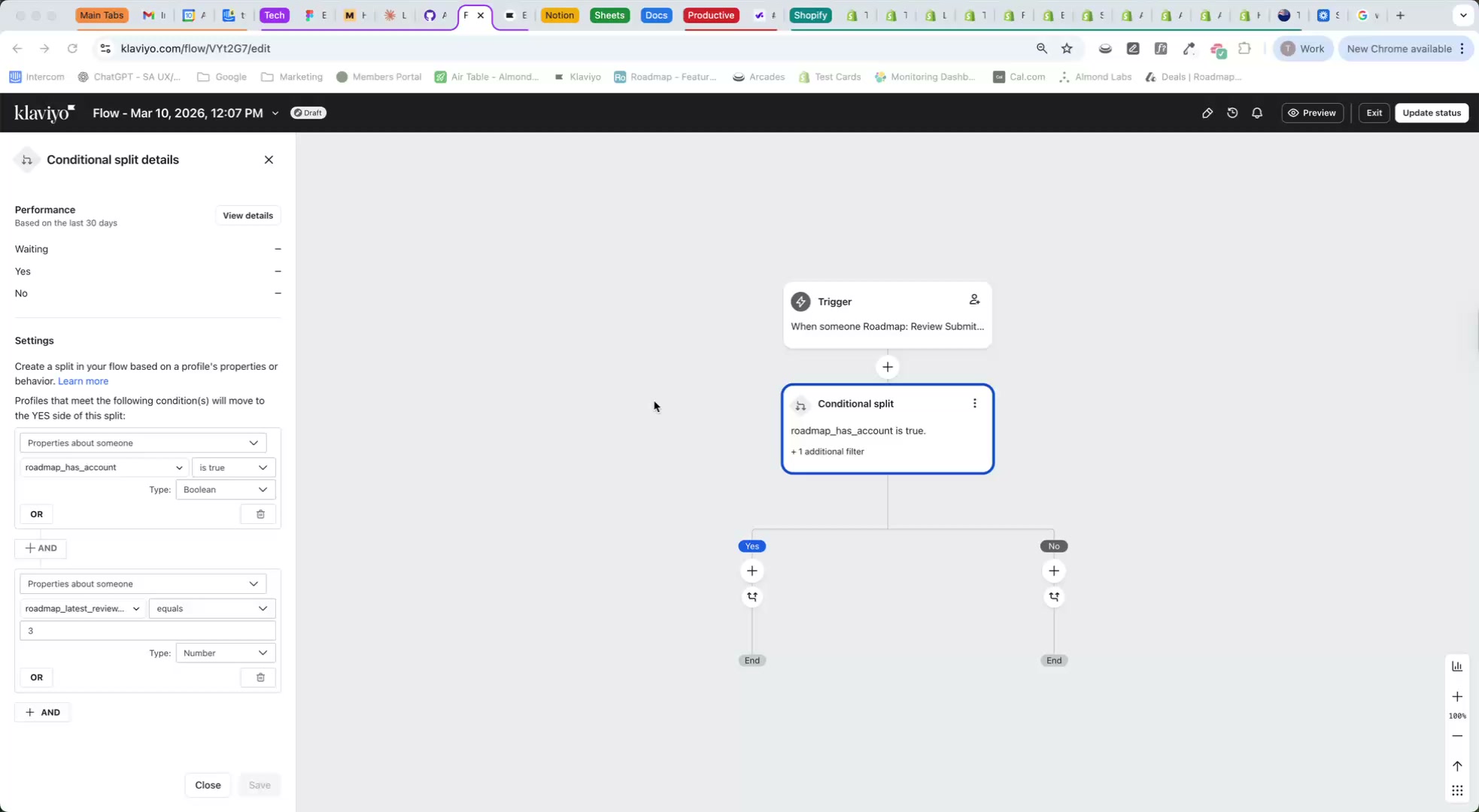
Then click the Conditional split card to open Conditional split details.
4) Configure the loyalty condition (has a loyalty account)
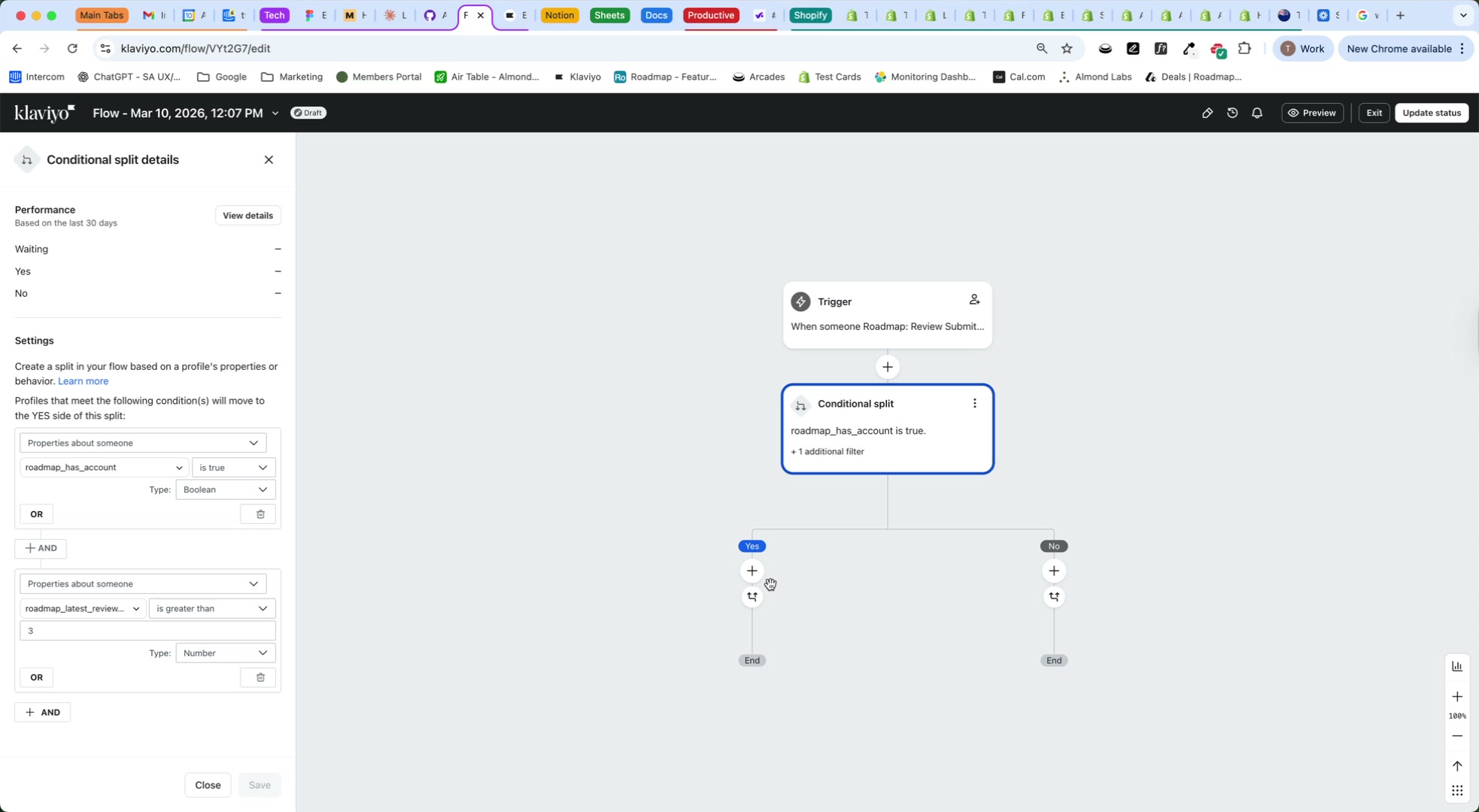
In the Conditional split details settings panel, build your first condition using the Roadmap loyalty property:
- Properties about someone →
roadmap_has_account - Operator: is true
What this means: If roadmap_has_account is true, the person has a Roadmap Loyalty account and will go down the Yes branch. If it’s false, they’ll go down the No branch.
Optional: Split by loyalty tier (instead of just “has an account”)
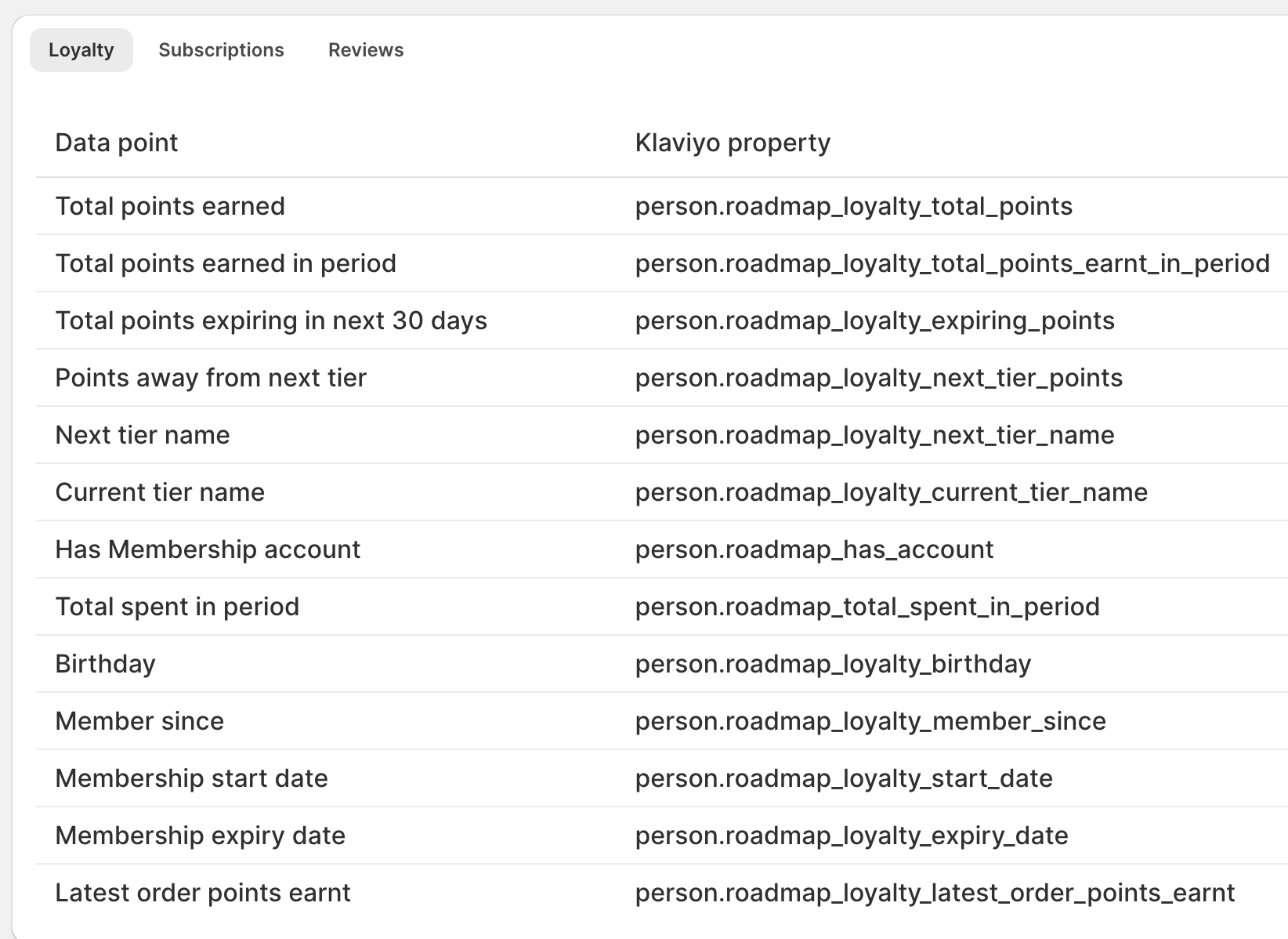
If you want to split by loyalty level (for example, Gold vs Silver), use the Roadmap loyalty tier property in your split rules. In Roadmap’s Klaviyo property list, the tier is available as:
- Current tier name →
person.roadmap_loyalty_current_tier_name
5) Add the latest review rating condition
Now add a second rule so the split only routes people to Yes when they both have a loyalty account and left a strong rating.
Click + AND to add another condition row.
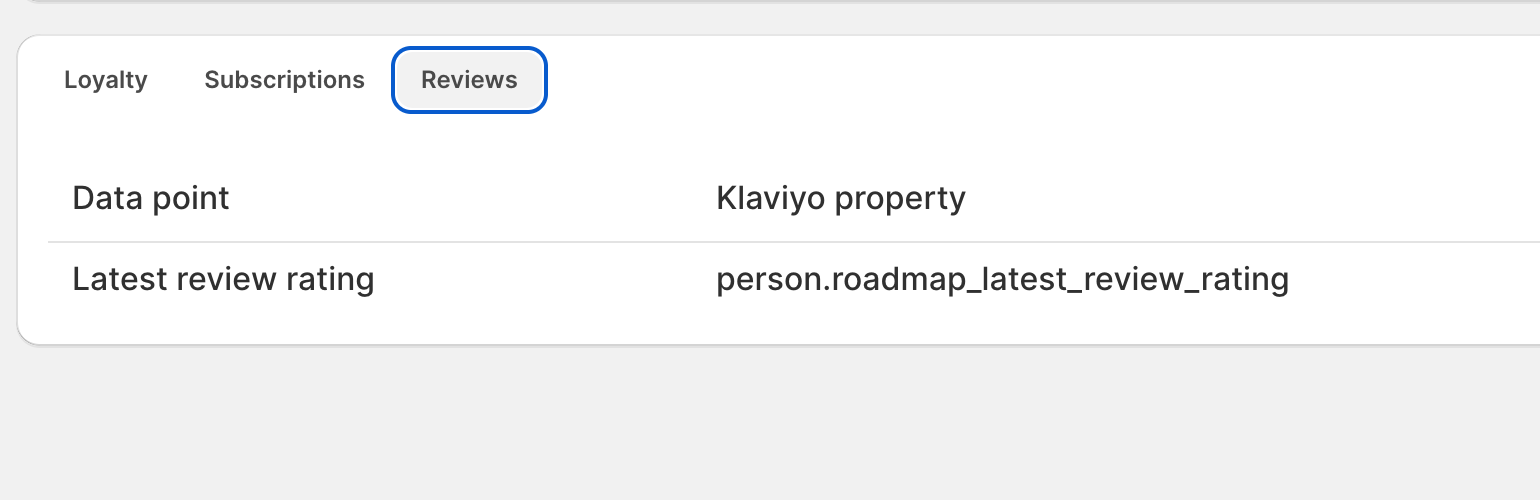
Choose Properties about someone → roadmap_latest_review_rating.
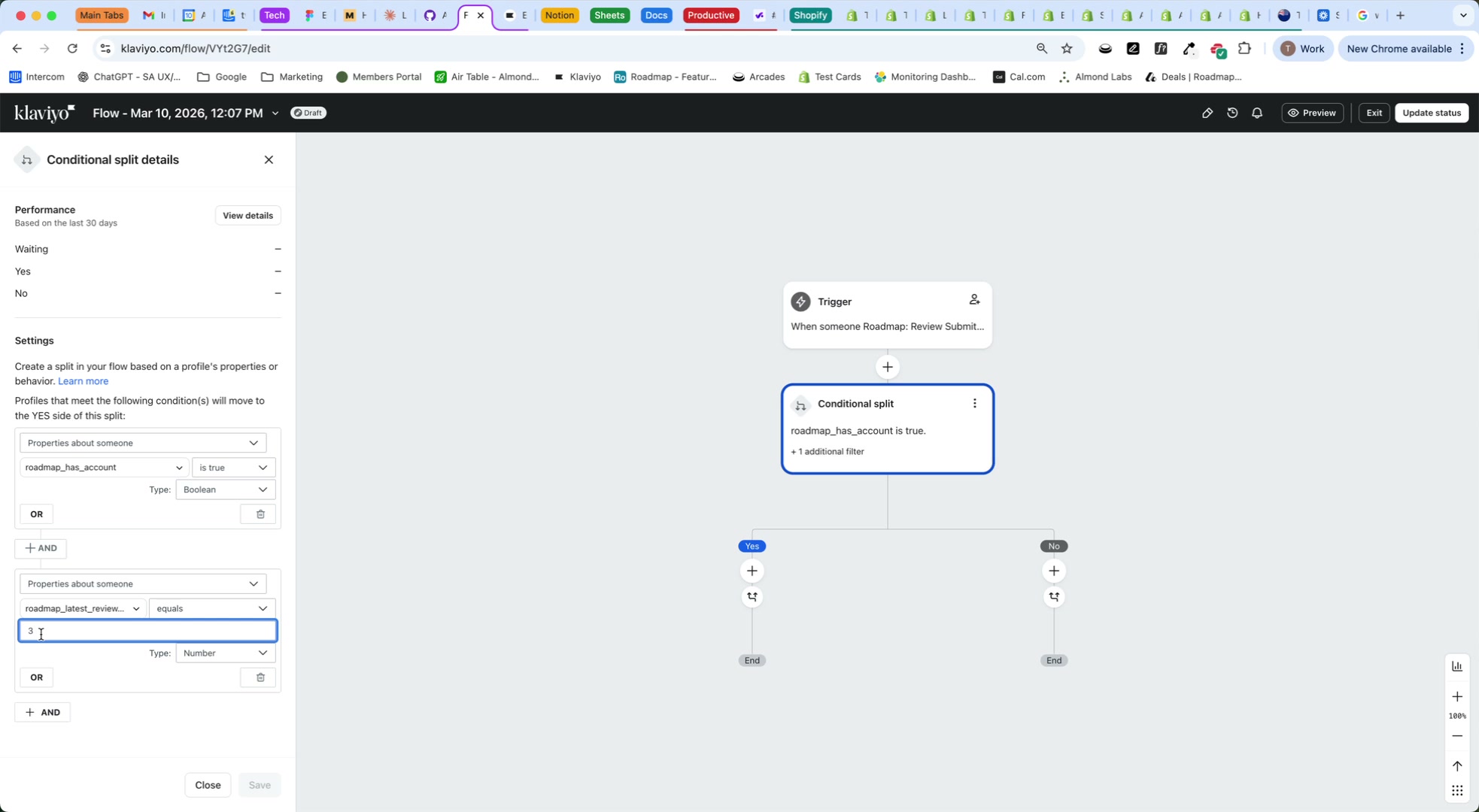
Set the operator to is greater than and enter 3 (so ratings 4–5 go to Yes).
Roadmap updates Latest review rating as customers leave new reviews. Your flow will evaluate the split conditions at the time the person reaches the split step.
6) Save and use the Yes/No branches
Click Save in the Conditional split details panel.
Use the Yes branch for customers who have a loyalty account and left a rating greater than 3 (for example, send a thank-you email or VIP offer).
Use the No branch for everyone else (for example, route to a different message or end the flow).
If you prefer more granular routing (e.g., “Has account?” first, then “Rating > 3?”), create two Conditional split steps in sequence instead of combining rules in a single split.
If your flow is live, changes to the trigger or split rules can immediately affect who receives messages. Consider testing in Draft first and using Preview where available.